16 KiB
Technical design - Trains and roads V1
This document strives to be a guide for the implementation of the TrainsAndRoads application, including infrastructure, components design, used technologies, external libraries, and detailed algorithms.
1. Revision history
| Revision number | Author | Reviewers | Status / notes | Date |
|---|---|---|---|---|
| 1 | Miguel | Draft | 11/11/2024 |
2. Goal
TrainsAndRoads is a multiplayer board game built as a web application. Its base concept is:
- The game consists of connecting train rails and roads to form a proper grid. Players will strive to get the most possible amount of points at the end of the game-
- Points will be conceded by achieving certain conditions, such as making long roads or building stations in special positions. Points will also be subtracted when incorrectly building the grid, for example, when leaving open-ended rails/roads at the end of the game.
- Each player plays on their separate board, without ever interfering with other players. Although this is a chance-based game (dice are rolled every round), all players will play under the same circumstances, basing their construction on the same available pieces.
- The game is played in a 9x9 square grid, where players will need to place a set of pieces in the cells. Each piece will contain a drawing of rail and road connections in the four cardinal directions, which need to be used by the players to connect their grid.
- The game is played in seven rounds, where:
- Four dice are rolled at the beginning to decide which pieces must be used in this round. All players will share the same set for the round.
- Players will place the pieces in free cells, either starting from the border of the grid or connecting with some previously placed piece.
- Rails and roads cannot connect to each other, but special pieces with stations allow you to change from one type of track to another.
- Three times per game, and only once per round, players may use a special piece from a set of pieces. Such pieces don't have additional effects, but have convenient shapes, flexible to build the desired grid. There is a set of eight special pieces, each being available only once per game (per player).
- Special cells grant capabilities to duplicate a piece in the turn, gain extra points, or increase by one the number of special pieces that can be used in the game.
3. Use cases
3.1. Game lobby
The game is accessed by navigating to the web URL. The player is received in the lobby creation screen, where they are prompted to create a new lobby or join an existing lobby. When creating, the user will receive a share code for other players to join the room. Both for creating or joining a room, users will be asked to input a player name.
3.2. Gameplay
3.2.1. Game field
The game will be played in a 9x9 square grid, labelled 1 to 9 in rows and A to I in columns. All the cells in the border may be connected to either rails and roads, excepting the exit connections:
- Horizontal connections in rows 2 and 8 (rails) and 5 (road)
- Vertical connections in columns B and H (roads) and E (rail)
The board will contain three types of special cells, positioned in specific locations of the board. Such cells will provide additional benefits when placing pieces on top.
- Five housing cells
- Three factory cells
- Three university cells
3.2.2. Pieces
Different square pieces are available to be used, provided by chance every round of the game. Some pieces have a single track type, some have both types, but no connection between them, and some others have a station in the center, which connects rails and roads together. Some examples are:
| Straight track (road) | 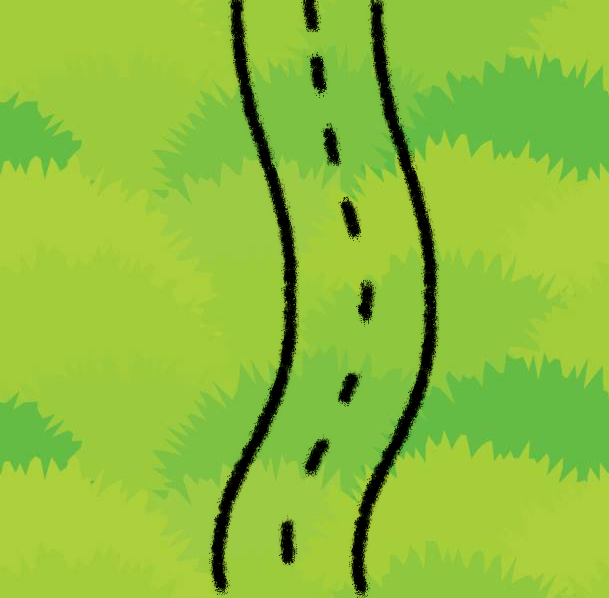 |
90 degree turn (rail) | 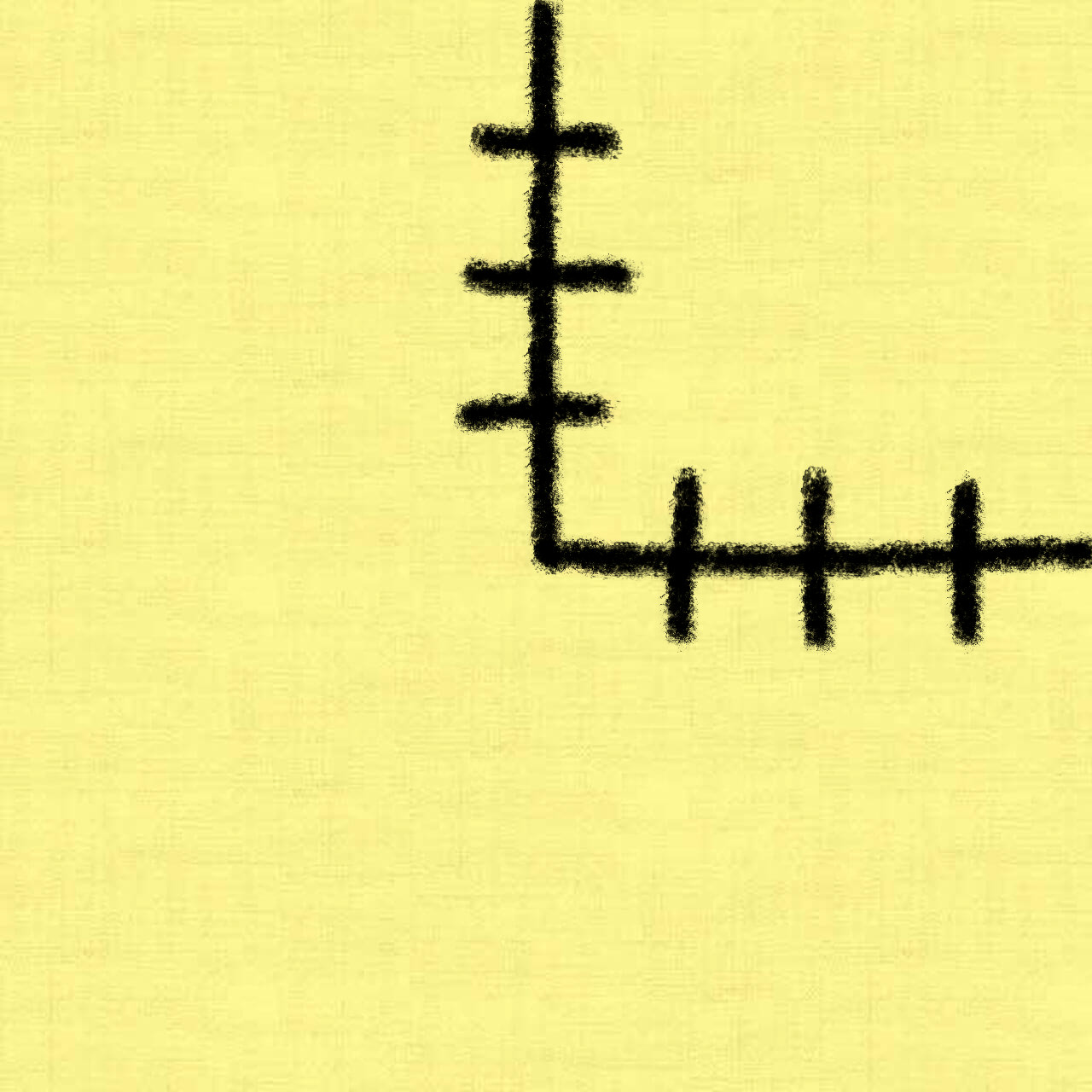 |
| T junction (rail) | 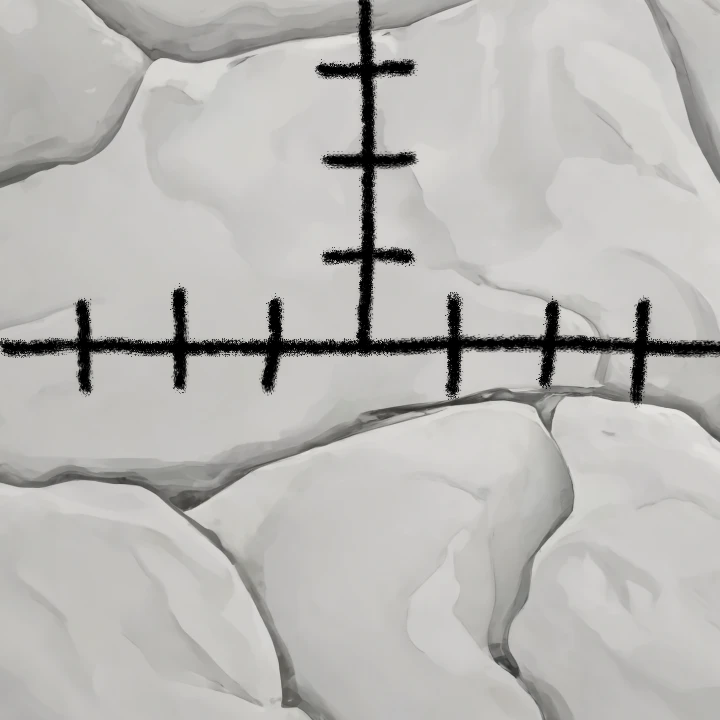 |
Double 90 degree turn |  |
| Level crossing | 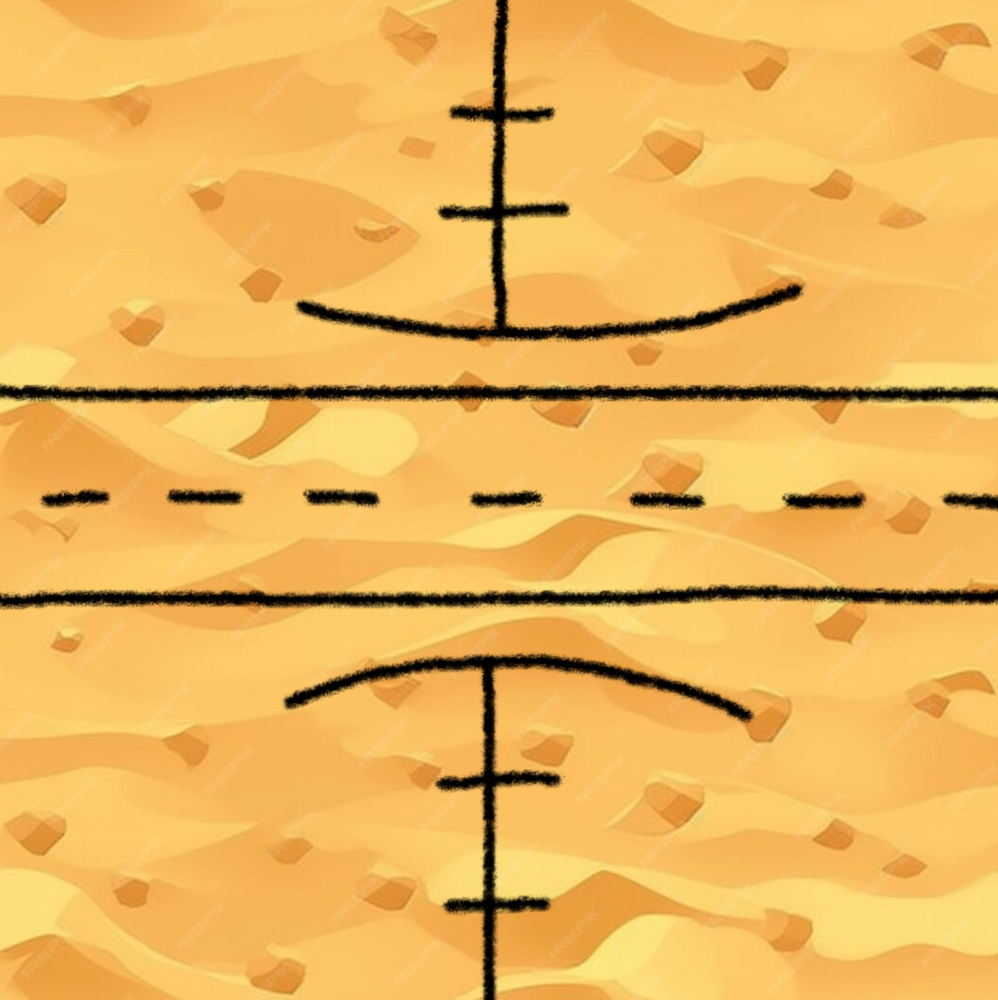 |
Straight track change | 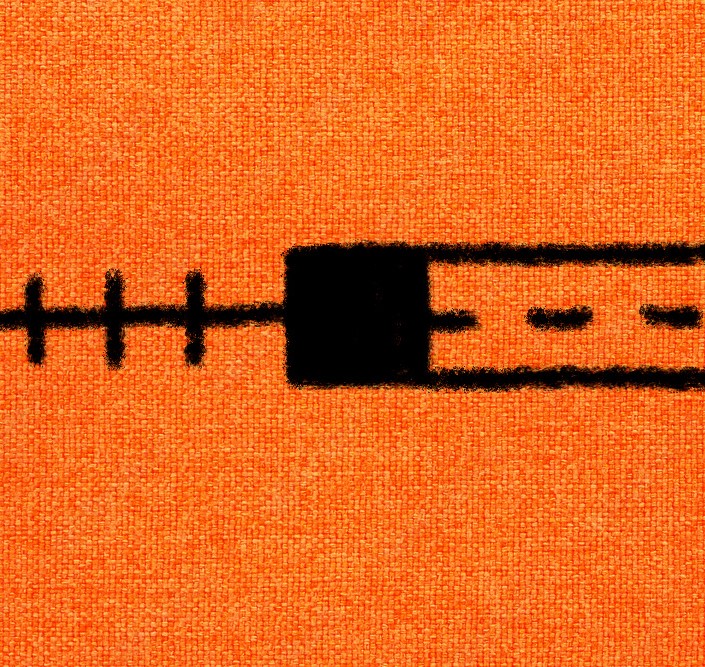 |
| Dead end road with station |  |
T junction with track change | 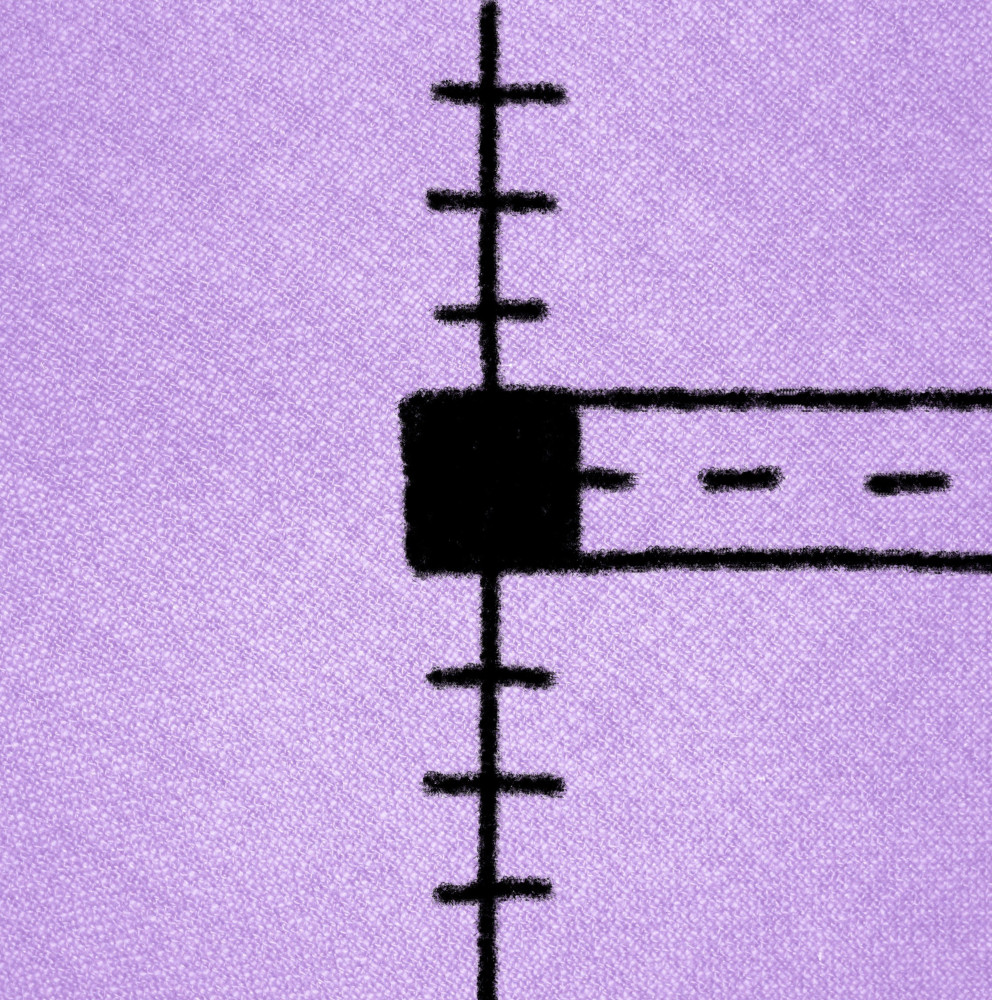 |
Eight special pieces are available, all having connections on all the sides. They are combinations of rails and roads, for example, in the shapes of:
| 4 way (rail) |  |
4 way with track change | 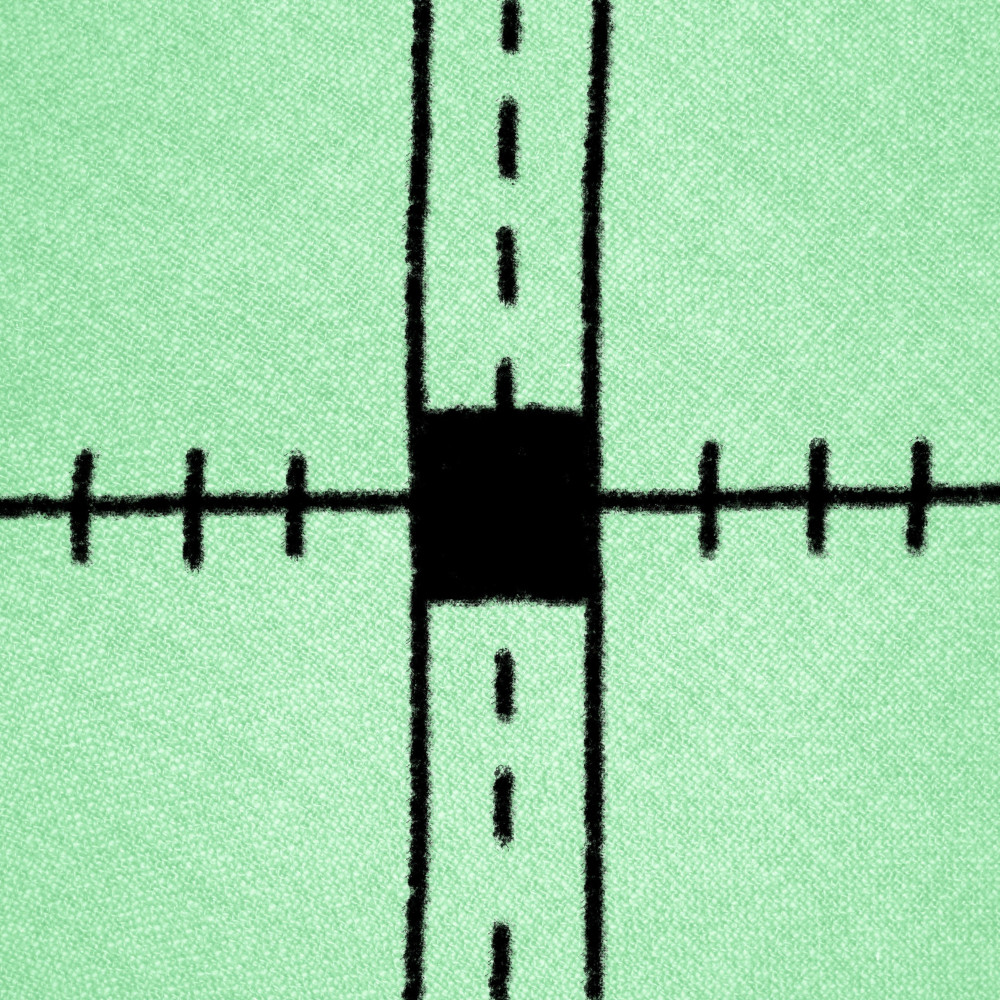 |
- T junction with extra connection and station
- Crossing junction with<> station
- Four way crossroad or rails without station
3.2.3 Quests - TODO
At the start of the game, three random quests will be selected. The selection pool contains, for example:
- Fill all the central square cells.
- Place stations in three houses.
- Fill all the cells in a column or row.
3.2.4. Kickoff
Each round, the game provides a random set of pieces to all the players (same set for each of them). Each player independently places ALL of them in the cells that they desire, following rules:
- It's not allowed to place a piece in a cell that is already occupied by another piece.
- It's not allowed to place a piece totally disconnected from any other connection point. The connection points in the edge of the board are always available, so players will always need to start there.
- It's not allowed to place a piece adjacent to another piece if they connect to each other incorrectly. Rails cannot connect to roads, but you can place two non-connecting pieces adjacent to each other if one of them has a connection on that edge. Note that this doesn't count as a connection for the above rule. Open-ended tracks negatively influence the score.
- Players are allowed to rotate the pieces 90, 180, and 270 degrees, but not flip them vertically or horizontally.
3.2.5. Special cells
- Placing pieces in all three universities will grant the player an additional use of an extra special piece. This doesn't mean that they can repeat any of the ones they already used or use more than one in the same turn.
- Placing a piece in any factory grants the user the option to use one of the pieces that was provided this turn a second time. This explicitly excludes any used special piece. This bonus can only be used in the current round.
- Placing station pieces in houses grants additional points at the end of the game.
3.3. Counting points - TODO
Points will be granted by:
- Houses: each house cell where the player has placed a piece with a station grants one point.
- Longest road: calculate the longest road without reusing the same track segment. Each piece in it grants a point.
- Longest rail: same as above for longest rail.
- Connected exits: two exits are connected if you can navigate from one to another with the existing pieces, which groups the exits in sub-grids. Track type changes are allowed at stations. For each sub-grid, the player gets 4 x (n - 1) points, being n the number of exits connected in the sub-grid.
- Quest points: each completed quest grants the player 4 points if they were first in completing it, 2 if they were second, and 1 if they were third. If two players complete a quest on the same round, they will be ordered in round completion time (first player to submit the round gets first).
- Central square cells: one point is granted per occupied space in the 3x3 central square.
Points will be subtracted by:
- Disconnected edges: for each open-ended track in the grid, the player loses one point.
3.4. End of game screen
Upon completing the seven rounds, players will be notified of the points they earned, the winner, and must be able to see the board played by each of the players.
4. Out of scope (for V1)
- Private lobbies, where an admin can invite players by user id
- Kick player out from a lobby
- Games history, saving to database
- Playing against bots, with either algorithmic behaviour or AI
- Drawing pieces, instead of placing them
5. High-level proposal
5.1. Server-client communications
Server and client need to communicate asynchronously, as many actions (such as submitting piece placements) need to wait for other players to finish their respective actions. For this reason, they will communicate through web-sockets. The following requests will be needed:
| Request type | Inputs | Outputs | Notes |
|---|---|---|---|
| Create lobby | UserName | LobbyId | |
| Join lobby | UserName, LobbyId | PlayerNames | Output is broadcasted to all players in lobby, not only the requester |
| Start game | - | Round start info | Broadcasted to all players |
| Submit pieces positions | Dices, locations, and rotation angles | Round start info | Broadcasted to all players when all of them have submitted their pieces |
| End of game info | |||
| Quest completion status | Broadcasted to all players when a quest is completed by any player |
Round start info contains:
- List of dice that should be used in the round
End of game info contains:
- Winner player name
- All players' board status
- All players' points, segregated by category
Quest completion status contains:
- All quests' achievers, ordered by completion time
5.2. Computation modules
The systems will contain the following modules, with submodules for specific items. Nest.js provides this modularisation capability out of the box as the chosen dependency injection framework.
- User management module:
- Administrates the users' connection and disconnection to the server.
- Dispatches them to games
- Enables sending data to users and broadcasting to a room
- Game state management module
- Stores the status of the game, history, boards, quests, and points
- Manages the room state transitions, from lobby to in-game to ended
- Manages the rounds transitions
- Administrates quests
- Piece placement module
- Verification logic on piece placement (shared between front and back-end)
- Special cells and pieces consumption (shared also)
- Manages piece placement action stackings to enable undo actions (front only)
- Points computation module
- Path finding algorithms for the longest track and connected exits
- Calculates quest results
- Calculates open-ended tracks
- Other point sources
6. Component details
6.1. Modellisation of the users and games
var usersMap = Map<socketId: string, userId: string>
var users = Map<userId: string, User>
User = {
  socketId: string,
  userName: string,
  gameId: string,
}

var games = Map<gameId: string, Game>
Game = {
  id: string,
  gameCode: string,
  status: "LOBBY" | "IN_PROGRESS" | "FINISHED",
  players: Set<Player>,
  boards: Map<Player, Board>
  quests: Set<Quest>,
  rounds: List<{ pieces: List<PieceId> }>
}
6.2. Path finder algorithm
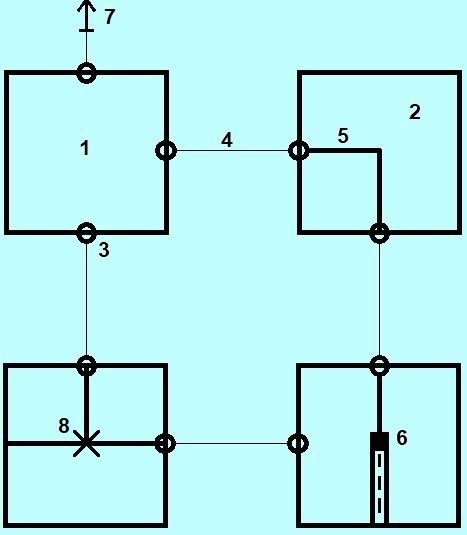
6.2.1. Modellisation of the grid and pieces
| 1. Cell 2. Piece 3. External node 4. Border 5. Track 6. Internal node 7. Exit 8. Internal node |
 |
Enum types
TrackType = "RAIL" | "ROAD"
Direction = "NORTH" | "SOUTH" | "EAST" | "WEST"
ExitType = "RAIL" | "ROAD" | "AMBIVALENT"
InternalNodeType = "NONE" | "STATION"
CellType = "NORMAL" | "STATION" | "FACTORY" | "UNIVERSITY"
Internal types
Exit = { type: ExitType }
absctract Node = { cell: Cell }
ExternalNode extends Node = {
  ...Node,
  direction: Direction,
  border: Border
}
InternalNode extends Node = {
  ...Node,
  id: number,
  type: InternalNodeType
}; // Such as stations or crossings
Border = Pair<ExternalNode, ExternalNode | Exit> // Joins two nodes from adjacent cells
Main types
Cell = {
  externalNodes: Set<ExternalNode>,
  type: CellType,
  piece: Piece | null
}
Piece = {
  tracks: Set<{
    nodes: Pair<Node, Node>,
    type: TrackType
  }>,
  internalNodes: Set<InternalNode>
}
Board {
  cells: List<Cell>(9*9)
}
6.2.2. Calculating disjoint grids
Given a Board object:
- Find all cells that have a border with an exit (not
AMBIVALENT) and form a set of cells with their corresponding starting direction. Something close to: - While the above set is not empty, pop the first element and put it in a separate set (sub-grid)
- Path-find all other exits that are connected to this point using recursively:
- If the current cell has no piece, stop
- If the piece has no track (internal or external) starting or ending in the direction, also stop.
- If there are some tracks, for each of them find the external nodes that they can connect to. Traverse through the internal nodes when necessary. Note: internal nodes might be dead ends in some cases.
- For each accessible external node (not the original), get the cell's border and traverse it:
- If it's an exit:
- If it's not AMBIVALENT, pop it from the original set and add it to this sub-grid's set.
- Then stop (regardless of the type of exit)
- If it's another cell, execute this process recursively starting from the new cell's starting external node.
- If it's an exit:
- In order to avoid the algorithm to stack overflow on looped grids, every time an external node is accessed, consume it by adding it to a global ban-list.
6.2.3. Calculating longest road
PENDING DEFINITION
6.2.3. Calculating dead ends
For each border in a board, we will verify:
- If one end is an exit, it's never a dead end.
- If one end has track and the other doesn't, it's a dead end.
- If both have tracks, check that they are of the same type (they should always be, as the placement logic should have prevented this error).
6.3. Game transitions
7. Implementation plan
- Home page
- Manage user connection
- Create join page
- Page frame
- User name input box
- Create lobby button and request
- Join lobby button, input box, and request
- Create lobby page
- Create players view
- Create start game button
- Create request handlers
- Create lobby handler
- Join lobby handler
- Broadcasting in lobby
- Game start handler
- Game play
- Game page
- Create board view
- Create piece set view
- Create piece focus (and rotation) view
- Create quests view
- Create piece placement animations
- Create piece placement validator
- Create special cells logic
- Create undo action button
- Create submit button
- Create submit handler
- Create quests checker and broadcasting
- One quest checker will be needed per quest type
- Create quests info display in web
- Create round info broadcasted
- Game page
- Game end
- Game end page
- Create boards view
- Create points view
- Create winner view
- Create focus board animations
- Create points calculation logic
- Create quests counter
- Create longest track pathfinder
- Create connected exits pathfinder
- Create dead-end tracks counter
- Create house and center cells counter
- Game end page